TABLE OF CONTENTS
Overview
You can configure discounts that apply automatically to a package based on specific criteria using Coupon Conditions. They're managed from the Coupon Conditions section of a package and accessed via Edit Coupon Conditions.

If multiple coupon conditions are met at once, the condition nearest the end of the list takes priority, and that coupon will be the one applied. Order your conditions accordingly, with the most specific or highest-priority condition last
Types of Coupon Conditions
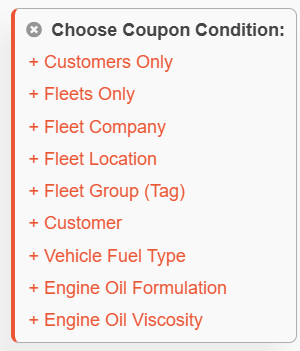
To add a coupon condition, select + New Coupon Condition and choose one or more of the following:
Condition | Definition |
|---|---|
| Customers Only | Limits the coupon to all customer profiles. |
| Fleets Only | Limits the coupon to all fleet profiles. |
| Fleet Company | Limits the coupon to orders placed under a specific fleet company account. |
| Fleet Location | Limits the coupon to orders tied to a specific location (branch or site) within a fleet company. |
| Fleet Group (Tag) | Limits the coupon to vehicles or accounts carrying a specific Fleet Group tag, letting you target a subset of a fleet without restricting by company or location. Fleet Group tags are managed within Fleet Groups Manager under Tags.  |
| Customer | Limits the coupon to one or more specific customer accounts, rather than all customers. |
| Vehicle Fuel Type | Limits the coupon to vehicles with a specific fuel type (Gas, Diesel, Flex, CNG, LPG, Bifuel, Full Hybrid EV Gas, Mild Hybrid EV Gas, Full Hybrid EV Flex, Plugin Hybrid EV Gas, Battery EV). |
| Engine Oil Formulation | Limits the coupon to services using a specific oil formulation (Conventional, Full Synthetic, Synthetic Blend). |
| Engine Oil Viscosity | Limits the coupon to services using a specific oil viscosity grades. |
Configuring Coupon Details
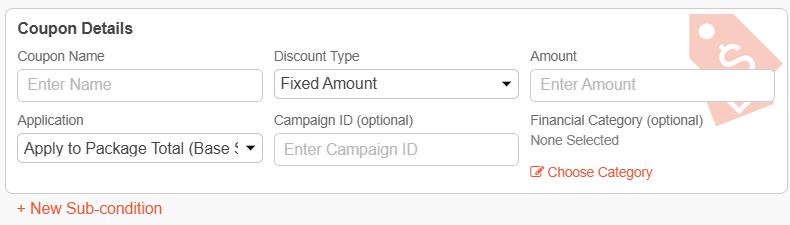
For each condition, you'll set up the following coupon details:
Coupon Detail | Definition | ||||||||
| Coupon Name | Give the coupon a clear, identifiable name so it's easy to recognize in the conditions list. | ||||||||
| Discount Type | Choose how the discount is calculated:
| ||||||||
| Amount | Dollar ($) or percentage (%) applied off of the package. | ||||||||
| Application | Determines which total the discount is calculated against:
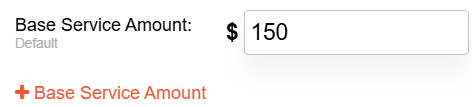
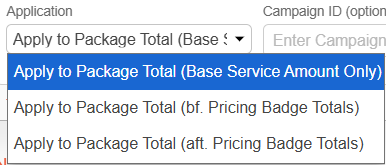 Not applicable when Discount Type - Set Base Service Amount is selected. | ||||||||
| Campaign ID (optional) | A reference code you can attach to the coupon to associate with a specific marketing or promotional campaign, so its usage can be tracked and reported on separately. | ||||||||
| Financial Category (optional) | The accounting classification the discount is recorded under, used to group and report on discounts consistently for financial reconciliation. |
Applying Multiple Coupons
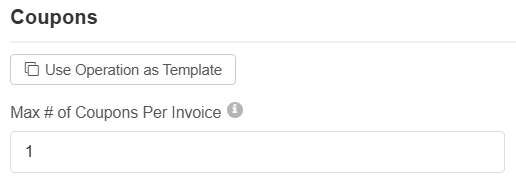
Coupon conditions count toward the operation's Max # of Coupons Per Invoice setting, so if multiple coupon conditions are applied up to or past the limit, no additional coupons from the Coupons list or applied via coupon code will be permitted.
If a customer or fleet's profile has a discount, it will still automatically apply on the entire order.
Was this article helpful?
That’s Great!
Thank you for your feedback
Sorry! We couldn't be helpful
Thank you for your feedback
Feedback sent
We appreciate your effort and will try to fix the article