Overview
Boosting Conditions increase a package's prominence on the Servicing page when conditions are met, pushing it to the top of the package list. They control the order packages appear in during servicing, and they're managed from the Boosting Conditions section of a package, accessed via Edit Boosting Conditions.

Two rules govern how they behave:
- If a package has boosting conditions and one or more are met, the package is pushed to the top of the package list on the Servicing page.
- If a package has no boosting conditions selected, or none of them are met, it appears in its normal position in the list - boosting never removes a package from the list.
How Boosting Conditions Affect Servicing Vehicles
When a vehicle or account matches the boosting conditions set on a package, that package moves to the top of the package list on the Servicing page for that ticket, ahead of packages that don't meet a boosting condition.
Boosting Conditions never hide a package the way Display Conditions can, they only change where a package appears in the list, making it easier for the servicing team to find.
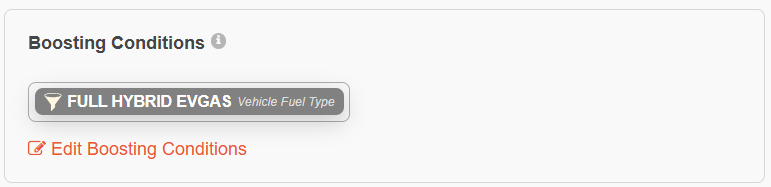
Example: If a package has a boosting condition for the Vehicle Fuel Type to be "Full Hybrid EV Gas", then orders with vehicles that match this fuel type will have the package boosted to the top of the Servicing page.
1. Configuring Boosting Conditions within a package's settings:
2. Starting an order:
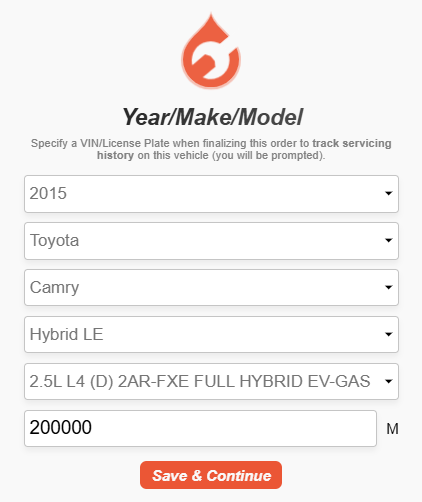
3. Boosted package (in green)
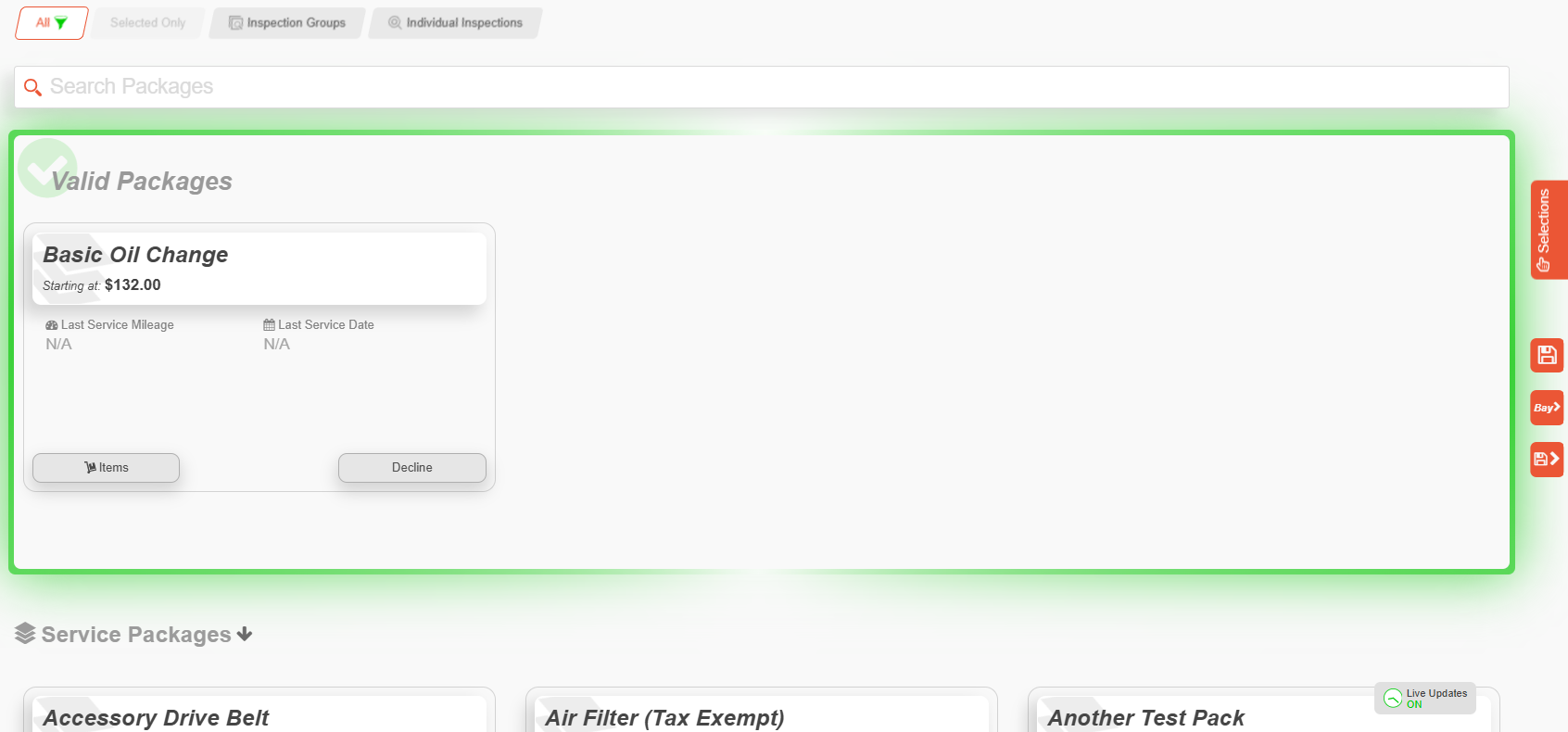
Types of Boosting Conditions
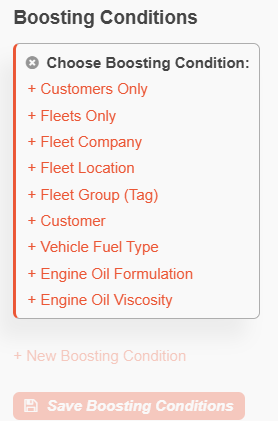
To add a boosting condition, select + New Boosting Condition and choose one or more of the following:
| Condition | Definition |
|---|---|
| Customers Only | Boosts the package's position when the order is for a customer (non-fleet) profile. |
| Fleets Only | Boosts the package's position when the order is for a fleet profile. |
| Fleet Company | Boosts the package's position when the order is placed under a specific fleet company account. |
| Fleet Location | Boosts the package's position when the order is tied to a specific location (branch or site) within a fleet company. |
| Fleet Group (Tag) | Boosts the package's position when the vehicle or account carries a specific Fleet Group tag, letting you target a subset of a fleet without restricting by company or location. Fleet Group tags are managed within Fleet Groups Manager under Tags. |
| Customer | Boosts the package's position when the order belongs to one or more specific customer accounts, rather than all customers. |
| Vehicle Fuel Type | Boosts the package's position when the vehicle has a specific fuel type (Gas, Diesel, Flex, CNG, LPG, Bifuel, Full Hybrid EV Gas, Mild Hybrid EV Gas, Full Hybrid EV Flex, Plugin Hybrid EV Gas, Battery EV). |
| Engine Oil Formulation | Boosts the package's position when the service uses a specific oil formulation (Conventional, Full Synthetic, Synthetic Blend). |
| Engine Oil Viscosity | Boosts the package's position when the service uses a specific oil viscosity grade. |
Was this article helpful?
That’s Great!
Thank you for your feedback
Sorry! We couldn't be helpful
Thank you for your feedback
Feedback sent
We appreciate your effort and will try to fix the article