If QZ Tray is running and you’ve already restarted it but still see the message shown in the screenshot below, it’s likely due to a recent browser update that now requires permission to access applications installed on your device.
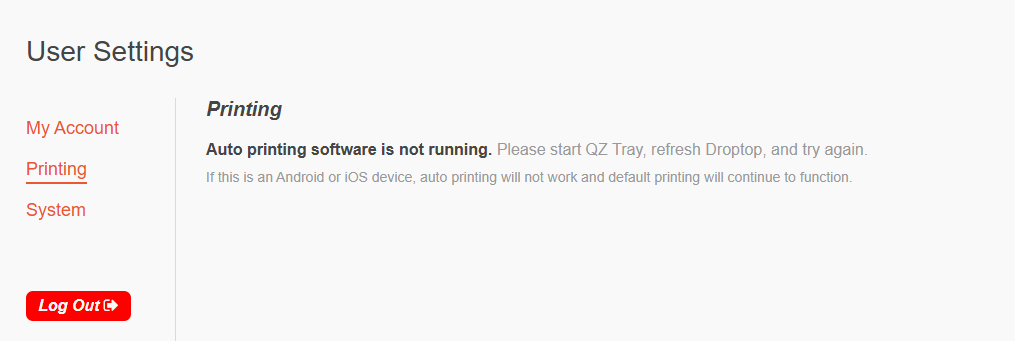
Droptop connects to QZ Tray, an application installed on your device that enables auto-printing. Follow the steps below to allow your browser to communicate with QZ Tray.
Google Chrome
- Open Droptop in Chrome
- Click the site settings icon (left side of the address bar)
- Locate “Apps on Device”
- Ensure it is toggled on
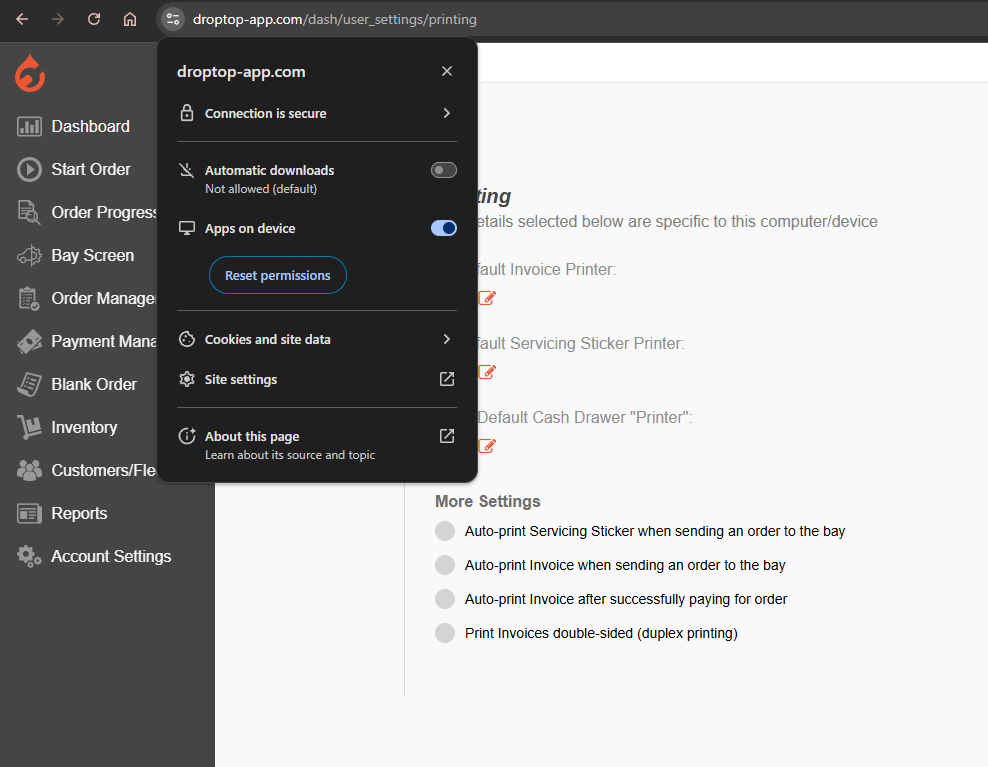
If you are unable to change this setting:
- Click Reset Permissions
- Refresh the page
- You should see a pop-up asking for permission
- Click Allow
Microsoft Edge
- Open Droptop in Edge
- Click the site settings icon in the address bar
- Find “Apps on Device”
- Ensure the option in the dropdown is set to Allowed
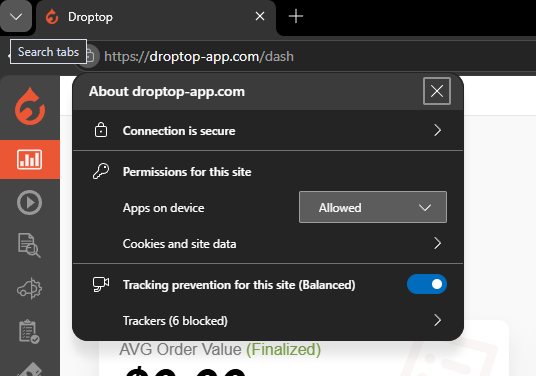
If you don't see this option right away:
- Clear your browser's site settings for www.droptop-app.com
- Once you've cleared the settings, refresh Droptop.
- You should then see a pop-up asking for permission to connect to applications on your device. Click 'Allow' when prompted.
Was this article helpful?
That’s Great!
Thank you for your feedback
Sorry! We couldn't be helpful
Thank you for your feedback
Feedback sent
We appreciate your effort and will try to fix the article